
The Complete IT Asset Management System for K-12 Districts
Technology Suite
One Seamless System for Complete IT Control.
Connect asset tracking, built-in help desk workflows, and mobile field access in one system purpose-built for K–12 IT operations.

What Is K–12 IT Asset Management?
IT asset management in K–12 is the structured process school districts use to track, manage, and report on technology devices across their full lifecycle, from procurement and deployment to repair, reassignment, audit, and retirement.
Unlike enterprise IT asset management systems, K–12 asset management must account for student-assigned devices, funding compliance, distributed campuses, and annual refresh cycles.
Effective IT asset management ensures districts maintain visibility, reduce loss, and protect technology investments.

How IT Asset Management Works in K-12 School Districts

Effective K–12 IT asset management typically includes:
- Procurement & Funding Documentation
- Asset Tagging & Deployment
- Student or Staff Assignment
- Help Desk & Repair Tracking
- Warranty & Vendor Management
- Inventory Audits
- Refresh & Retirement Planning
A purpose-built IT asset management system connects each step in one structured workflow.
Discover the ROI of Smarter IT Asset Management
Districts using IT asset management with barcode scanning and accountability workflows report a 20–30% reduction in lost or misplaced devices. Turn hidden operational costs into measurable budget savings, use our ROI calculator to estimate your potential savings.
Calculate Your Savings
IT Asset Manager
Discover how to track, manage, and optimize your district’s technology inventory with ease with IT Asset Manager.
Who IT Asset Management Is For
IT asset management impacts multiple stakeholders across a district. Each role relies on accurate asset data for different operational decisions.

IT Leaders (CTO / Directors)
Need district-wide visibility, lifecycle planning, and audit readiness.

IT Technicians & Operations Teams
Need fast device lookup, ticket-to-asset linking, and mobile field access.

Superintendents & District Leaders
Need reporting that protects technology investments and reduces risk.

Procurement & Finance Teams
Need vendor tracking, warranty oversight, and compliance documentation.
What to Look for in K–12 IT Asset Management Software
Not all IT asset management software is designed for education environments. Districts should evaluate solutions based on how well they align to real K–12 workflows:
- Built-for-K–12 workflows (not retrofitted enterprise tools)
- Student-device assignment tracking
- Integration with help desk systems
- Mobile access for technicians
- Warranty and vendor tracking
- Audit-ready reporting
- Scalability across multiple campuses
Some enterprise IT asset management work well environments but may lack education-specific workflows, compliance tracking, and student-device assignment capabilities.
Districts should choose software aligned to how schools actually operate.


Reduction in Lost Devices
Districts that implement IT asset management programs, including barcode scanning, asset tracking, and accountability workflows, report a 20-30% reduction in lost or misplaced devices (Securely K–12 Device Management Survey, 2023).
Actual outcomes may vary by district, depending on level of implementation and internal practices.

Decrease in Maintenance Costs
Districts using IT asset management practices to support parts tracking and preventative maintenance report up to a 30% reduction in maintenance costs (IBM ITAM ROI Study, 2023).
These efficiencies are typically driven by reduced emergency repairs, fewer duplicate part purchases, and improved inventory oversight.

Faster Incident Resolution
Districts leveraging IT asset management systems with integrated device context and help desk capabilities have reported resolving support tickets 20–40% faster (MetricNet Help Desk Benchmarking Study, 2024).
CoSN’s 2024 survey found that IT teams still spend up to 10 hours weekly on manual tracking—highlighting the opportunity for process improvement through asset management tools.
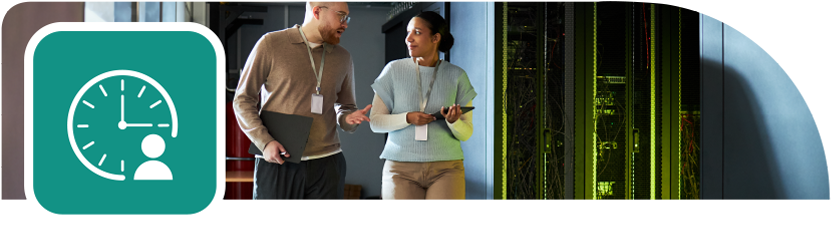
Technician Travel Time
Mobile access to asset data, ticket details, and inventory can help reduce technician travel time by enabling more on-site resolution and fewer trips back to centralized offices or depots.
With real-time visibility from anywhere, IT teams can respond faster, streamline service, and minimize downtime.
Your Centralized K-12 IT Management Dashboard
Consolidate critical operational data, actionable insights, and workflows in one simple, customizable dashboard.
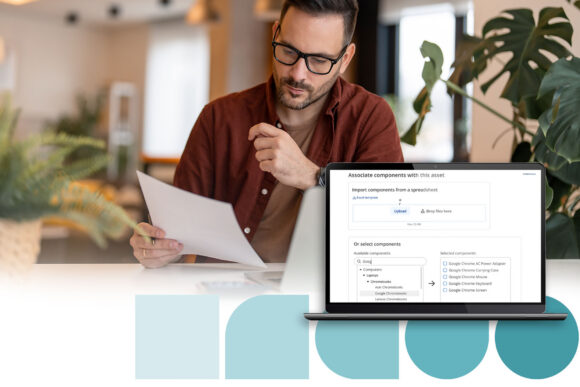
Track Every School Asset in Real Time
Complete Visibility & Asset Control
Always know what devices you have, where they are, and how they’re performing. See every asset across sites in real time to eliminate duplicate purchases, reduce manual errors, and stay audit-ready at any moment.

Streamline Device Circulation & Proactive Maintenance
Smart Deployment & Proactive Care
Move from reactive repairs to proactive planning. Schedule device rollouts and refresh cycles, route tickets automatically, and anticipate issues before they disrupt instruction.
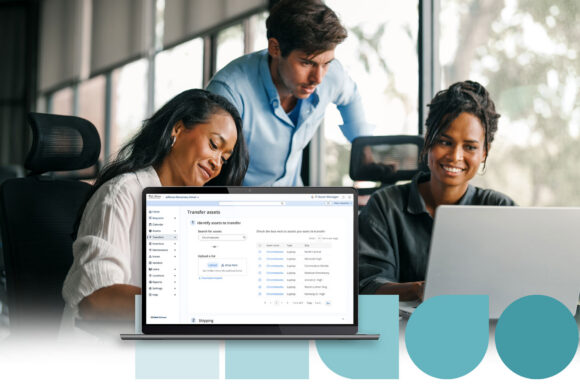
Unified Help Desk Software for Schools
Unified Help Desk & IT Workflows
Bring tickets, assets, and field work into one connected system. Technicians can manage and close tickets from anywhere—reducing tool sprawl, saving time, and improving service response.

Field-Ready IT Asset Management
Field Work Without the Downtime
Keep tech staff productive in the field. Scan devices, access asset history, update tickets, and close support requests without returning to a desk. The result is faster fixes and more classroom uptime.

School Technology Tracking Insights and Strategic Planning
Data-Driven Insights & Strategic Planning
Turn everyday operations into actionable intelligence. Create board-ready reports, surface underused devices for reallocation, and use data to guide smarter budgeting and long-term tech planning.

Optimize 1:1 Device Deployment and Repair Tracking
Simplify Management
Simplify and standardize device repairs. Monitor SLAs, parts, and labor for accountable, efficient service delivery.
Coming Soon
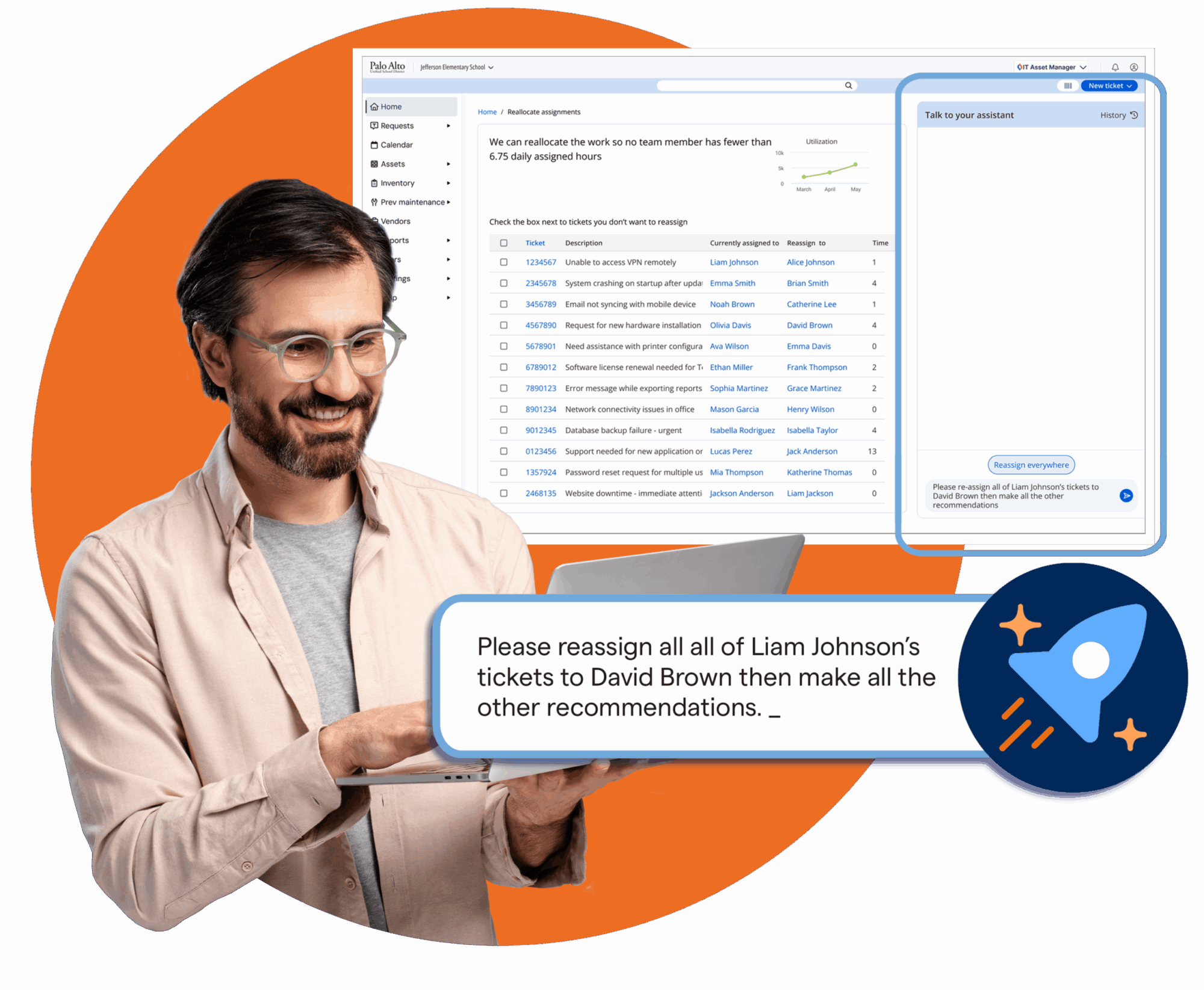
AI for IT Asset Manager
Smarter insights for K–12 IT operations.
AI capabilities planned for IT Asset Manager will help districts:
✔ Help predict device needs and lifecycle risks.
✔ Automate routine support and route tasks.
✔ Identify trends to improve reliability and reduce costs.
✔ Save time for IT staff and improve service for the district.
Built for K–12.
AI that works within Follett Software tools—district data powering meaningful insights.
Already trusted by hundreds of districts using Follett Software AI today and planned for IT Asset Manager in 2026.
Why Trust Follett Software for Your School's IT Management?

Follett Software supports more than 80,700 schools in 137 countries.
For over 150 years, we’ve partnered with educators, technology leaders, and administrators to simplify operations and strengthen learning with technology that meets realities head on.
IT Asset Manager is designed to protect your data with role-based access controls, audit trails, and compliance-ready reporting to help reduce risk.

With IT Asset Manager, you’re not just getting software. You’re getting a partner who understands the realities of school IT.
Get Started with IT Asset Manager
Be one of the first with better visibility, smarter workflows, and integrated support lead to measurable gains across your entire IT operation.
Contact Us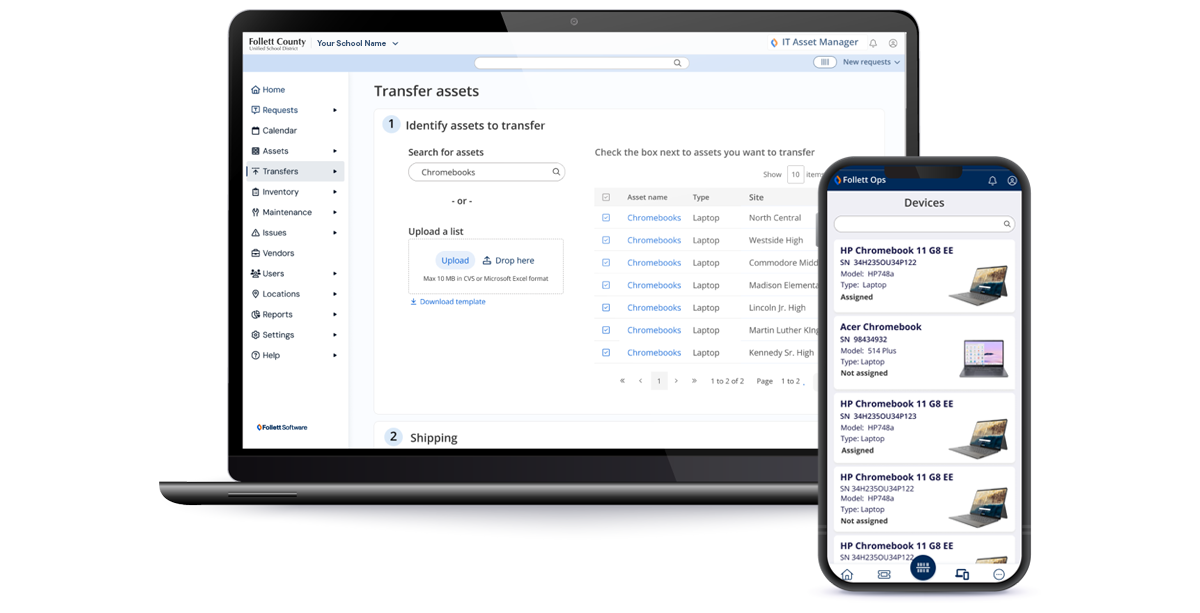
Go beyond devices. Connect IT and Facilities.
Not every ticket starts and ends with a screen. Many depend on HVAC, power, cabling, cameras, and room availability working exactly as they should.
Follett’s Facilities Suite builds on IT Asset Manager with work orders, preventive maintenance, scheduling, and interactive floor plans — so IT and facilities teams can stay aligned around every event, outage, and repair.

Integrated to your data and existing systems
Plug-and-play with your SIS
Standards-based OneRoster integrations make it easy to connect student data from nearly any SIS—no custom setup required.

Works with your existing MDM stack
Connects directly to Jamf school device management, Intune for education, Mosyle, and Google MDM so you can see every device, apply policies, and manage updates—all from one place.

SSO & Authentication
Manage access through your SSO provider or any provider that supports SAML.
- Active Directory
- Microsoft Azure
- ClassLink
- Okta
Onboarding & Support
Getting started with Follett Software is simple and seamless. From initial setup to long-term partnership, we guide your team every step of the way to ensure you get the most value from IT Asset Manager.
✔ Initial Consultation & Configuration
✔ Team Training & Go-Live
✔ Ongoing Success & Support

Intuitive Onboarding
Our team works directly with your IT staff to ensure IT Asset Manager is configured for your district’s policies, infrastructure, and sites. Get everyone trained and live—fast with Follett Software’s world-class Customer Success Team.

Technical Support
Our technical support team is available from 8 a.m. to 6 p.m. ET by phone or email. Access detailed documentation anytime to help resolve issues quickly and keep your systems running smoothly.

Long Term Success
Our customer success team partners with you beyond onboarding, sharing best practices, practical guidance, and ongoing webinars on our product and the broader industry to keep your IT team sharp.

In Summary
K–12 IT asset management gives districts full visibility into device lifecycle, reduces financial risk, simplifies audits, and protects technology investments.
Follett IT Asset Manager is built specifically for school districts that need operational clarity at scale.
See how it works in your district.
The estimates provided by this tool are for illustrative purposes only and are intended to support evaluation of Follett Software. They are not guarantees or commitments and should not be the sole basis for purchasing or financial decisions. Results will vary depending on district-specific factors such as implementation, configuration, integrations, data quality, user adoption, processes, device mix, and policies. Follett Software assumes no liability for decisions made in reliance on these estimates.
Frequently Asked Questions about K-12 IT Asset Management
-
IT asset management is the system schools use to track, maintain, and manage all technology devices—from student Chromebooks to classroom equipment—throughout their entire lifecycle. An effective IT asset management system improves operational efficiency, reduces replacement and repair costs, and helps ensure devices are available and ready to support teaching and learning when students need them most.
-
School districts can reduce device loss by using real-time tracking tools, automated circulation workflows, repair tracking, and analytics that surface loss trends early. For example, districts using centralized asset tracking often see fewer lost devices and lower replacement costs by identifying issues before they become widespread.
-
The best K–12 Chromebook management software brings everything together in one place—including device tracking, MDM data, help desk support, and SIS information. IT Asset Manager is designed specifically for schools, providing a single, centralized solution that simplifies Chromebook management, reduces manual work, and gives IT teams full visibility across their device ecosystem.
-
Yes. IT Asset Manager integrates with leading student information systems through OneRoster® integration software. This integration enables streamlined data management by automatically syncing student and user data, reducing duplicate data entry, improving accuracy, and saving valuable time for IT and administrative teams.
-
IT Asset Manager integrates with popular school MDMs including Jamf, Intune, Mosyle, and Google MDM. These integrations simplify workflows by automatically aligning device, user, and status data—making it easier to manage devices at scale, troubleshoot issues faster, and maintain accurate records across systems.
Related Resources

Other Duties as Assigned: Navigating the Many Hats of a K-12 Technology Leader
Webinars

Surviving with a Skeleton Crew: IT Best Practices for Small District Teams
Webinars